
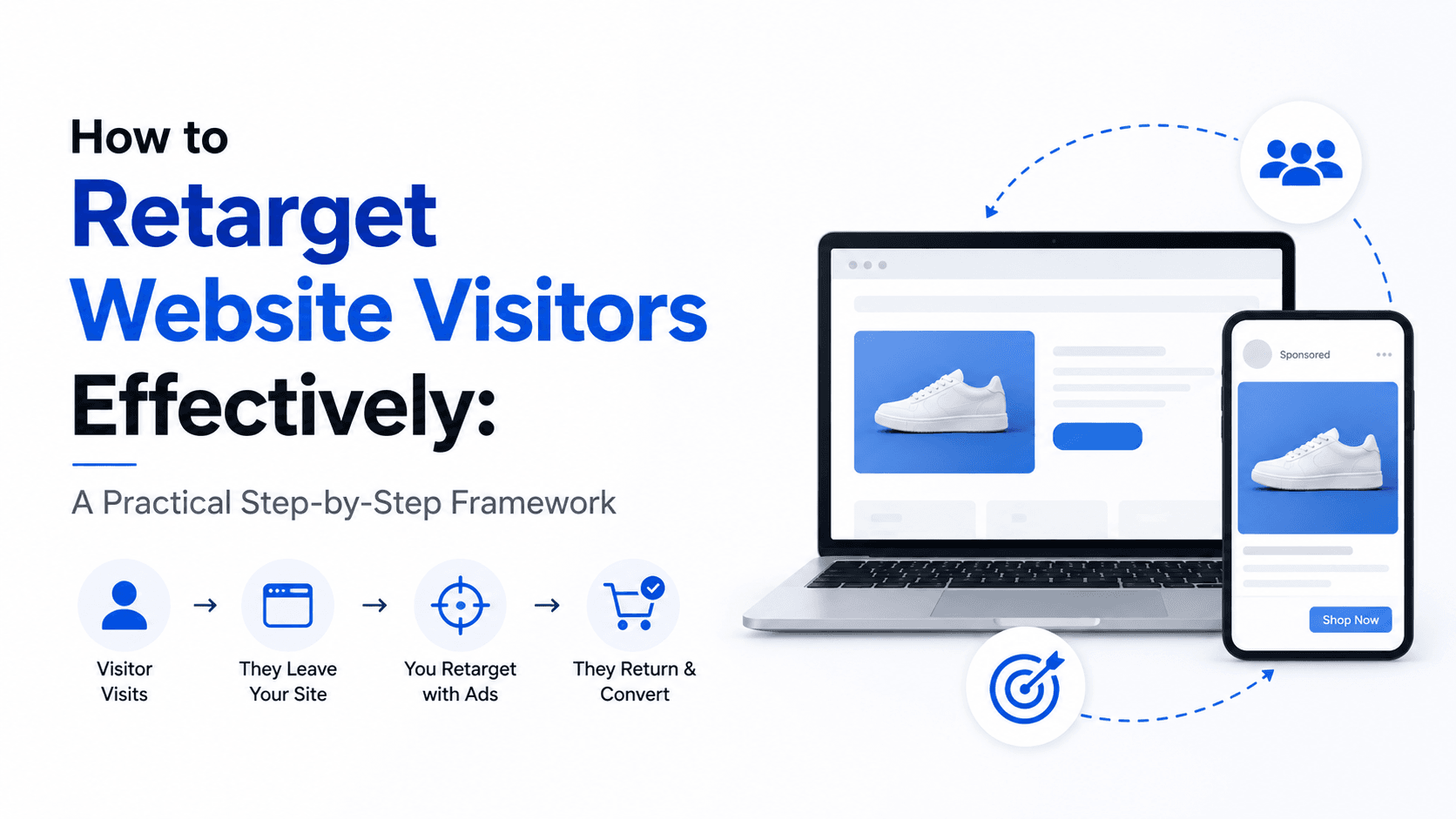
Retargeting website visitors effectively requires segmenting your audience by the specific pages they visited and the actions they took, then serving each segment a message that directly addresses where they are in the decision journey — not a generic ad about your business. A pricing-page visitor who didn’t enquire needs a different message than someone who read a single blog post, and treating both with the same creative is the primary reason most retargeting campaigns underperform.
According to Criteo, retargeted users are 70% more likely to convert than cold audiences. WordStream data shows retargeting ads achieving 10x higher click-through rates than standard display ads served to cold audiences. Google’s research confirms that retargeting campaigns deliver an average of 4x better return on ad spend compared to equivalent prospecting campaigns targeting similar audiences. These numbers reflect a straightforward economic reality: people who have already visited your website have demonstrated enough interest to investigate — they are not strangers, they are warm prospects who need a reason to return and complete the action they didn’t complete on their first visit. The entire discipline of retargeting is about providing that reason, in the right format, at the right moment, before a competitor does.
This guide covers the complete retargeting framework: technical setup, audience architecture, creative strategy, frequency management, platform-specific implementation, and the measurement discipline that separates effective retargeting from expensive noise.
What Is Retargeting and Why 97% of Your Visitors Need It
Retargeting is the practice of showing paid advertisements specifically to people who have previously visited your website, engaged with your content, or interacted with your brand — using tracking pixels or audience lists to identify and reach them across advertising platforms. It exists because of one inescapable reality about web behaviour: research consistently shows that 96-97% of first-time website visitors leave without converting.
That 96-97% is not a lost audience — it is an audience in process. They visited because something triggered their interest. They left because the timing wasn’t right, they needed more information, they were distracted, they wanted to compare options, or the conversion ask felt premature. Retargeting maintains your presence during the gap between initial interest and eventual decision — which is the gap where most conversions are actually won or lost.
Retargeting vs Remarketing: The Distinction
These terms are used interchangeably in most marketing contexts, but there is a technical distinction:
| Term | Meaning | Platform |
|---|---|---|
| Retargeting | Reaching past visitors via paid ads using pixel data | Meta, Google, LinkedIn, others |
| Remarketing | Re-engaging past visitors via email | Email platforms; also Google’s term for their retargeting product |
In practice, “retargeting” has become the dominant term for pixel-based paid ad campaigns targeting previous visitors, while “remarketing” often refers specifically to email re-engagement. This guide uses “retargeting” throughout to refer to paid ad campaigns targeting previous website visitors.
The Purchase Journey That Makes Retargeting Necessary
For most products and services, the journey from first awareness to purchase involves multiple touchpoints across multiple days or weeks:
- Day 1: Search query → lands on blog post → reads content → leaves
- Day 3: Sees brand mentioned somewhere → goes back to homepage → leaves
- Day 7: Compares three competitors’ pricing pages → doesn’t enquire
- Day 12: Sees retargeting ad with specific case study → clicks back → enquires
Without retargeting, your business is visible for step 1 and potentially step 2, then invisible during the critical comparison and decision window in steps 3 and 4. The competitor who maintains visibility throughout that window captures the lead.
Step 1: Technical Foundation — Installing Tracking Pixels Correctly
Retargeting only works when your tracking pixels are correctly installed, firing on the right pages, and collecting the audience data that makes segmentation possible. A retargeting campaign built on faulty pixel data is targeting the wrong people with the wrong messages — generating spend without proportional results.
The Meta Pixel (Facebook/Instagram Retargeting)
The Meta Pixel is a JavaScript code snippet that tracks visitor behaviour and sends that data to Meta’s advertising platform — enabling retargeting on Facebook and Instagram.
Installation via Google Tag Manager (recommended):
- In Meta Business Manager → Events Manager → Connect Data Sources → Web → Facebook Pixel
- Copy your Pixel ID (not the full code — just the ID number)
- In Google Tag Manager → New Tag → Facebook Pixel (via Community Gallery or Custom HTML)
- Configure to fire on “All Pages”
- Preview and verify using Meta Pixel Helper (Chrome extension)
Standard Events to implement:
Standard events tell Meta which visitor behaviours to track beyond simple page views and enable segmented retargeting audiences:
| Standard Event | When to Fire | Retargeting Application |
|---|---|---|
| PageView | Every page load | General site visitor retargeting |
| ViewContent | Product/service pages | Interest in specific offerings |
| Lead | Form submission confirmation | Exclude from retargeting; suppress ads |
| InitiateCheckout | Checkout page | High-intent cart abandoner retargeting |
| Purchase | Order confirmation | Exclude from product retargeting; cross-sell |
| Contact | Contact page view | Consideration stage audience |
| Search | After search is performed | High-intent in-session behaviour |
Verifying pixel accuracy:
- Install Meta Pixel Helper (Chrome extension) and visit key pages to confirm correct events fire
- In Meta Events Manager → Test Events, enter your website URL and trigger events to verify real-time tracking
Google Remarketing Tag and Google Analytics 4
Google’s retargeting reaches previous visitors across the Google Display Network, YouTube, Gmail, and RLSA campaigns.
Two methods to build Google remarketing audiences:
Method 1: Google Ads Remarketing Tag
Install the Google Ads global site tag (or via Google Tag Manager). This adds visitors to remarketing lists based on pages visited.
Method 2: Google Analytics 4 Audiences (recommended)
GA4 can build and publish remarketing audiences directly to Google Ads using event-based tracking. This allows advanced segmentation (e.g., users who visited pricing pages, spent time on site, but did not convert).
To link GA4 to Google Ads:
- In GA4 → Admin → Google Ads Links → Link your Google Ads account
- In Google Ads → Tools → Audience Manager → GA4 audiences will appear automatically
LinkedIn Insight Tag
For B2B businesses, the LinkedIn Insight Tag enables retargeting on LinkedIn, allowing you to reach previous website visitors with professional demographic targeting.
Installation follows the same process — a JavaScript snippet added via Google Tag Manager or directly in the site header.
Privacy and Consent Compliance
In 2026, cookie consent compliance is not optional — it is a legal requirement in India (Digital Personal Data Protection Act, 2023) and essential for accurate pixel tracking.
What this means practically:
- Implement a cookie consent banner that requests explicit permission for tracking cookies
- Configure pixels to fire only after consent is granted (using tools like Cookiebot, Usercentrics, or GTM consent mode)
- Understand that users who decline cookies will not be tracked — reducing retargeting audience size
Step 2: Audience Architecture — Segment by Behaviour, Not Just by Visit
The most common retargeting mistake is treating all website visitors as a single audience. Serving the same “come back and buy” ad to someone who spent 15 minutes reading three case studies and someone who accidentally clicked your ad and immediately bounced is inefficient — and harmful. It wastes budget on low-intent visitors while over-communicating with high-intent ones.
Effective retargeting architecture creates distinct audiences based on behaviour, intent level, and position in the decision journey.
The Audience Segmentation Framework
Tier 1: Highest Intent (Hottest Audiences)
These visitors have taken explicit actions that signal strong purchase intent:
| Audience | Definition | Message Strategy |
|---|---|---|
| Form abandoners | Started but didn’t submit the contact form | “Still thinking it over? Here’s what to expect in a call” |
| Pricing page visitors | Viewed pricing/packages page | Direct offer; risk-reduction; comparison |
| Checkout abandoners | Began purchase process (ecommerce) | Product reminder; potential incentive |
| Cart page visitors | Added to cart but didn’t checkout | Urgency + social proof |
| Case study readers | Viewed 2+ case study pages | Similar case studies; strong proof |
Tier 2: Moderate Intent (Warm Audiences)
These visitors showed genuine interest but are still evaluating:
| Audience | Definition | Message Strategy |
|---|---|---|
| Services/product page visitors | Viewed service descriptions | Benefit-focused; differentiation |
| Blog-to-service visitors | Visited blog AND service page | Educational → consideration bridge |
| Long-duration visitors | Spent 3+ minutes on site | Trust-building; case studies |
| Multiple page visitors | Viewed 3+ pages | Consideration-stage content |
Tier 3: Low Intent (Cool Audiences)
These visitors showed minimal engagement:
| Audience | Definition | Message Strategy |
|---|---|---|
| Single-page visitors | One page view under 30 seconds | Brand reinforcement only |
| Bounced visitors | Left immediately without engagement | Typically not worth retargeting |
Implementation in Meta Ads Manager
Create custom audiences using Website traffic with URL-based conditions:
- Tier 1 (Pricing page): URL contains “/pricing” → Last 14 days
- Tier 2 (Services page): URL contains “/services” → Last 30 days
Implementation in Google Ads
In Google Ads → Audience Manager → Audience Lists → Website Visitors:
- Create URL-based lists matching each tier’s page criteria
- Set shorter durations for hot audiences and longer for warm audiences
Audience Exclusions — As Important as Inclusions
Showing retargeting ads to users who have already converted wastes budget and creates a poor experience. Always exclude:
- Recent converters (visited confirmation/thank-you page)
- Current customers (via Customer Match email list)
- Users who submitted a form in the last 30 days
Create an exclusion audience for “Thank you page visitors” or “Form confirmation page visitors” and apply it across all retargeting campaigns.
Step 3: Ad Sequencing — Tell a Story Across Multiple Touchpoints
Ad sequencing is the practice of deliberately ordering different ad messages to the same audience over time — delivering a progression of content that mirrors the natural decision-making journey rather than repeating the same message indefinitely. An audience that sees the same ad 12 times will develop creative fatigue and ad blindness. An audience that sees a carefully sequenced series of messages experiences a coherent narrative that builds trust and urgency progressively.
The Four-Stage Retargeting Sequence
Stage 1 — Reminder (Days 1-3 after visit)
The visitor is most likely still actively evaluating. The goal is not to sell — it is to remain visible and reinforce the specific value they were investigating.
Creative approach: Brand reinforcement with the specific service or product they viewed. Light, non-aggressive. The message: “You were looking at this. It’s still here.”
Ad format: Simple image ad or short video. No heavy selling language. No aggressive discounts.
Frequency target: 1-2 impressions per day
Stage 2 — Social Proof (Days 4-10)
The visitor hasn’t returned. They may be comparing alternatives or simply haven’t found the right reason to come back. The goal is to provide the trust signals that break down hesitation.
Creative approach: Specific testimonials, case study results with real numbers, Google review aggregations, or a “client story” format. The message: “Others like you made this decision and here’s what happened.”
Ad format: Carousel of client testimonials, video case study, or single image with specific result quote.
Frequency target: 1 impression per day
Stage 3 — Value or Offer (Days 11-21)
The visitor has seen your brand twice and hasn’t re-engaged. If they are still relevant, they need a stronger reason to act. The goal is to provide a risk-reducing or value-enhancing reason to take the next step.
Creative approach: Specific offer (free audit, free consultation, free trial, limited availability message), or a direct objection-handling message (“Still unsure? Here’s what makes us different from [generic alternatives].”). The message: “Here’s your reason to say yes.”
Ad format: Single image with clear offer; video with direct CTA.
Frequency target: 1 impression every 2 days
Stage 4 — Final Touchpoint (Days 22-30)
If the visitor hasn’t re-engaged after 30 days, the probability of conversion from this specific campaign drops significantly. The final stage either captures last-chance conversions or prepares for removal from the active retargeting pool.
Creative approach: Direct, simple, low-friction alternative. Sometimes a different offer format (e.g., if previous offers were consultation-focused, try a downloadable resource or webinar). The message: “This is an easy next step.”
Ad format: Simple, low-design creative — sometimes the least polished creative performs best at this stage because it feels less like an ad.
Post-30 days: Remove from active retargeting. These visitors can be re-added to cold prospecting audiences for periodic reach, but daily retargeting spend is rarely justified beyond 30 days for B2B or 14 days for B2C.
Implementing Sequencing in Meta Ads
Meta doesn’t have a native sequential retargeting feature, but you can implement it using date-range audience segments:
- Stage 1 audience: Website visitors in the last 3 days
- Stage 2 audience: Website visitors in the last 10 days, EXCLUDING last 3 days
- Stage 3 audience: Website visitors in the last 21 days, EXCLUDING last 10 days
- Stage 4 audience: Website visitors in the last 30 days, EXCLUDING last 21 days
Create separate ad sets for each stage with distinct creative, bids, and frequency caps.
Step 4: Retargeting Creative Strategy — Message-to-Audience Alignment
Retargeting creative fails most often when it ignores the context of the visitor’s previous interaction and treats them like a first-time viewer. The core principle: the person seeing your ad already knows your brand — so skip introductions and speak directly to their decision stage.
Creative Principles for Retargeting
Acknowledge the visit without being intrusive
Language like “You’ve been exploring our services” or “You visited our pricing page” can increase relevance. However, overly direct messaging can feel intrusive. Test acknowledgement-based messaging vs benefit-focused messaging to find the right balance.
Match the message to the specific page visited
| Page Visited | Implied Stage | Retargeting Message Focus |
|---|---|---|
| Blog post | Awareness | Educational content; bridge to services |
| Services page | Interest | Benefits; differentiation |
| Case studies | Consideration | More proof; similar results |
| Pricing page | Decision | Risk reduction; value; offer |
| About page | Consideration | Trust signals; brand story |
| Contact page (no submit) | Decision | Reduce friction; alternate contact |
Use context-specific social proof
Show testimonials relevant to the visitor’s interest. For example, a healthcare visitor should see healthcare-specific case studies — not generic testimonials.
Reduce friction in the CTA
If a visitor didn’t convert initially, your CTA may have been too strong. Instead of “Book a Strategy Call,” try lower-friction options like:
- Download a case study pack
- View results reports
- Access a free guide
Video vs Static Creative for Retargeting
| Format | Strengths | Best For |
|---|---|---|
| Short video (6–15 seconds) | High attention; strong recall | Stage 1 brand reminder |
| Long video (60–90 seconds) | Deep explanation; builds trust | Stage 2 consideration |
| Static image | Simple; direct | Stage 3 offers |
| Carousel | Multiple highlights | Products; features |
| Story format (vertical) | Mobile-native | All stages |
| UGC testimonial video | Authentic; high trust | Stage 2 social proof |
Avoiding the “Stalker Ad” Effect
Over-aggressive retargeting — same creative, high frequency, long duration — creates a negative brand experience.
Signs of over-retargeting:
- Users commenting: “Why does this keep following me?”
- Negative feedback rate above 0.5%
- CTR declining week-over-week
- Reach declining due to ad suppression
Prevention:
- Set frequency caps
- Rotate creatives every 2–3 weeks
- Use progressive ad sequencing
- Exclude audiences after 14–30 days
Step 5: Platform-Specific Retargeting Implementation
The mechanics of retargeting differ significantly across advertising platforms. Meta, Google, and LinkedIn each have different audience tools, ad formats, and optimisation approaches. Running effective retargeting across platforms requires understanding the strengths of each.
Meta Ads Retargeting (Facebook and Instagram)
Meta’s retargeting is the most widely used and often the most effective for both B2C and many B2B businesses due to its scale and advanced audience targeting capabilities.
Key Meta retargeting features:
- Custom Audiences from Website Traffic: Create in Meta Business Manager → Audiences → Create Audience → Custom Audience → Website. Configure with URL conditions, time windows, and event parameters.
- Custom Audiences from Customer Lists: Upload a CSV of customer emails. Use for excluding customers, upselling, or creating lookalike audiences.
- Advantage+ Custom Audiences: Meta’s AI expands audiences beyond defined criteria to find similar high-converting users. Test against strict targeting.
Recommended Meta retargeting campaign structure:
Retargeting Campaign (separate from prospecting)
│
├── Ad Set 1: Hot (0–7 days) — Pricing/form visitors
│   └── Ads: Direct CTA; offer; risk reduction
│
├── Ad Set 2: Warm (8–30 days) — Service/product page visitors
│   └── Ads: Social proof; case studies; benefits
│
└── Ad Set 3: Cool (31–90 days) — All site visitors
    └── Ads: Brand awareness; content; softer CTA
Google Retargeting (Display, YouTube, Search)
Google offers three distinct retargeting mechanisms, each reaching users in a different context:
Google Display Network Remarketing
Banner ads shown to previous visitors across Google’s Display Network (2M+ websites). Best for maintaining brand visibility.
Configuration: Google Ads → Campaigns → Display → Remarketing → select audience lists
YouTube Remarketing
Video ads shown to past visitors on YouTube. Segment audiences to show tailored videos.
- Best format: TrueView in-stream ads (skippable after 5 seconds)
- You pay only when users watch 30+ seconds or interact
RLSA — Remarketing Lists for Search Ads
RLSA allows you to increase bids for users who have previously visited your site — recognising their higher intent.
Example:
Standard bid: ₹80 → Returning visitor bid: ₹120 (+50%) due to higher conversion probability.
Implementation: Google Ads → Ad Groups → Audiences → Add audience → Apply bid adjustments
LinkedIn Retargeting
LinkedIn retargeting is essential for B2B because it combines behavioural data with professional targeting (job title, industry, company size).
LinkedIn Matched Audiences:
- Website retargeting: Uses LinkedIn Insight Tag to build audiences from site visitors (up to 180 days)
- Contact list targeting: Upload email lists for targeted campaigns (ideal for ABM)
- Account list targeting: Upload company names to target employees of specific companies
LinkedIn retargeting typically has a higher cost (3–6x compared to Meta/Google), but is justified when:
- Targeting B2B decision-makers
- Precise professional targeting is required
- High deal value supports higher acquisition costs
Step 6: Frequency Management — The Most Neglected Retargeting Discipline
Frequency — how many times each individual sees your retargeting ad — is the variable that most consistently separates profitable retargeting from expensive audience harassment.
Too low a frequency and your retargeting doesn’t create sufficient recall to influence the decision. Too high and you damage brand perception, generate negative feedback signals, and pay for impressions that are actively working against you.
Optimal Frequency Benchmarks by Audience Type
| Audience Type | Daily Frequency Cap | Weekly Max | Signs of Over-Frequency |
|---|---|---|---|
| Hot (pricing page, form abandoners) | 3-4/day | 15-20 | CTR below 1%; negative feedback rising |
| Warm (service/product pages) | 1-2/day | 7-10 | CTR below 0.5% |
| Cool (all visitors) | 0.5-1/day | 3-5 | Low CTR + high CPM |
| Email list retargeting | 1/day | 5-7 | Unsubscribe rate increasing |
Setting Frequency Caps in Meta and Google
- Meta Ads: Campaign level → Delivery → Frequency cap → Set maximum impressions per person per day/week.
- Note: Meta’s delivery algorithm respects frequency caps but may slightly exceed them during high-demand periods. Monitor frequency in the Delivery Insights report (available per ad set).
- Google Display: Campaign level → Settings → Frequency management → set impressions per day/week/month per user.
Diagnosing Creative Fatigue
Creative fatigue — performance decline caused by over-exposure — manifests through predictable metric patterns:
- CTR declining week-over-week for 2+ consecutive weeks on a stable audience
- CPM rising as Meta/Google’s algorithm reduces delivery due to negative signals
- Negative feedback rate increasing (available in Meta’s Ad Manager under “Ad Relevance Diagnostics”)
- Conversion rate declining despite stable click volume
When two or more of these indicators appear simultaneously, creative fatigue is almost certainly the cause. The solution: introduce new creative immediately, not in the next creative cycle.
Step 7: Dynamic Retargeting — Personalised Ads at Scale
Dynamic retargeting automatically generates personalised ads showing the specific products or services a visitor viewed — rather than a generic brand message. For ecommerce businesses with large product catalogues and B2B businesses with multiple service lines, dynamic retargeting produces significantly higher CTR and conversion rates than static retargeting creative because the ad is directly relevant to the visitor’s specific interest.
Dynamic Retargeting for Ecommerce
Meta Dynamic Ads: Requires a product catalogue uploaded to Meta Commerce Manager. The Pixel tracks which products visitors view, add to cart, or initiate checkout on. Meta’s algorithm automatically generates personalised ads showing those specific products to each visitor.
Setup:
- Create a product catalogue in Meta Commerce Manager with product IDs, names, images, prices, and URLs
- Ensure your Pixel fires ViewContent, AddToCart, and Purchase events with the product_id parameter
- Create a Dynamic Ad campaign targeting “Broad Audience” (existing catalogue buyers lookalike) or “Retargeting” (people who interacted with products)
Google Shopping Dynamic Remarketing: Requires a Google Merchant Center product feed linked to Google Ads. Dynamic remarketing ads show products from the Google Merchant Center feed that visitors previously viewed on your website.
Performance benchmark: Google reports that retailers using Dynamic Remarketing see 20-30% higher ROAS than equivalent static retargeting campaigns.
Dynamic Retargeting for Services Businesses
Service businesses without product catalogues can implement a simplified form of dynamic retargeting by creating distinct audience segments for each service line and serving service-specific creative to each segment:
- Visitor who viewed SEO services → sees SEO case study ad
- Visitor who viewed PPC services → sees PPC results ad
- Visitor who viewed web development → sees website portfolio ad
While not technically “dynamic” in the automated catalogue sense, this service-segment approach achieves the same goal: message-to-behaviour alignment at the individual ad set level.
Step 8: Cross-Platform Retargeting — Reaching Visitors Everywhere They Go
A visitor who doesn’t respond to your Meta retargeting ad may respond to a Google Display ad, a YouTube pre-roll, or a LinkedIn sponsored post. Cross-platform retargeting extends your reach across the full digital attention landscape — maintaining visibility wherever your prospects spend their time online.
The Cross-Platform Retargeting Stack
| Platform | Reach | Strengths | Cost Level |
|---|---|---|---|
| Meta (Facebook + Instagram) | Highest reach (2B+ users) | Visual; broad audience | Medium |
| Google Display Network | Very high (2M+ sites) | Ubiquitous presence while browsing | Low-Medium |
| YouTube | Very high (video consumption) | High attention; sequential storytelling | Low-Medium |
| Professional networks | B2B precision; decision-makers | High | |
| Google Search (RLSA) | Intent-matched | Captures return-search intent | Medium-High |
| Email (marketing automation) | Owned channel | No paid cost; high personalisation | Low |
Cross-Platform Coordination
The risk of running retargeting on multiple platforms simultaneously is frequency stack — the same visitor seeing your retargeting ads on Facebook, Instagram, YouTube, Gmail, and across Display Network simultaneously creates an overwhelming impression that feels intrusive even at individually acceptable frequency levels.
Cross-platform frequency management:
- Assign different time windows to different platforms to create a sequential cross-channel experience rather than simultaneous bombardment
- Meta: Days 1-14 (social retargeting; immediate brand presence)
- Google Display: Days 7-30 (passive browsing visibility as the visitor considers)
- YouTube: Days 14-30 (mid-consideration trust building with video)
- LinkedIn: Days 1-30 for B2B (parallel to other platforms but with professional context)
Suppress across platforms when possible: Upload your converted leads as customer lists to Meta and Google and exclude them from retargeting simultaneously — preventing the brand damage of showing ads to people who have already become customers.
Step 9: Email Retargeting Integration — The Owned Channel Complement
Email retargeting extends your reach to previous visitors who are in your CRM but may not be seeing your paid ads — due to ad blockers, cookie consent rejections, or simply not spending time on platforms where your paid retargeting runs. It is also the lowest-cost retargeting channel because it uses an owned audience rather than paid media.
Triggering Email Retargeting Sequences
Website visitor email sequences require knowing the identity of the visitor — they must be an existing contact in your CRM. Tools like HubSpot, Salesforce Marketing Cloud, and Klaviyo (for ecommerce) can trigger email sequences based on specific page visits by known contacts.
Practical implementation: If a current lead (already in your CRM) visits your pricing page but doesn’t submit a contact form, trigger an automated email within 24 hours:
Subject: “Thinking about pricing? Here’s what our clients say.” Content: Specific ROI examples from similar clients; a case study summary; a direct link back to book a call.
This warm outreach to a known lead who has shown renewed interest dramatically outperforms cold email sequences in terms of open rates and response rates.
Cart Abandonment Email Sequences (Ecommerce)
For ecommerce businesses, cart abandonment email sequences are one of the highest-ROI marketing automations available:
According to Klaviyo’s data, cart abandonment email sequences with 3 emails achieve a 5.2% conversion rate on abandoned carts — and adding a small discount in email 3 increases this to 7.3%.
Recommended sequence:
- Email 1 (1 hour after abandonment): “You left something behind” — reminder with product image and direct return link
- Email 2 (24 hours after): Social proof + urgency — “Others are viewing this item” or “Limited stock”
- Email 3 (72 hours after): Offer — if conversion economics justify it, a small discount or free shipping incentive
Step 10: Retargeting for B2B — Account-Based Retargeting
B2B retargeting requires a fundamentally different approach from B2C because the decision journey is longer, involves multiple stakeholders, and the total addressable audience per account is small. A B2B company with 50 target accounts and an average of 5 decision-makers per account has a total retargeting universe of 250 people — not 250,000.
Account-Based Retargeting Strategy
IP-based company targeting: Tools like Clearbit, Warmly, Demandbase, and Albacross can identify which companies are visiting your website based on IP address — even when individual visitors are anonymous. This intelligence allows you to:
- Prioritise sales outreach to companies showing research behaviour
- Create company-targeted retargeting campaigns on LinkedIn (targeting employees of specific companies who visited your site)
LinkedIn ABM retargeting: LinkedIn’s Matched Audiences allows account list targeting — uploading a list of target company names and targeting their employees. Combined with website visitor retargeting, this enables high-precision messages to specific decision-makers at specific accounts who have visited your site:
Audience definition: Website visitors in the last 30 days WHO work at [list of target companies] AND have job titles matching [decision-maker roles]
This level of precision is impossible on any other platform and justifies LinkedIn’s higher CPL for high-value B2B opportunities.
Multi-Stakeholder Retargeting
B2B purchase decisions involve an average of 6-10 stakeholders at enterprise level. Different stakeholders have different information needs:
| Stakeholder Role | Information Needed | Retargeting Content |
|---|---|---|
| Economic Buyer (CFO/CEO) | ROI; total cost; risk | Case studies with revenue impact; pricing clarity |
| Technical Evaluator (IT/Developer) | Integration; security; reliability | Technical documentation; security specs |
| End User (Marketing team) | Usability; features; support | Product demos; feature tutorials |
| Champion (Internal advocate) | Competitive positioning; internal sell | Battlecards; ROI calculator |
Identify which stakeholder types are visiting specific pages on your website and serve content aligned to their role and concerns.
Step 11: Retargeting Attribution and Measurement
Retargeting attribution is complex because retargeting ads reach people who were already going to return to your site at some point — making it genuinely difficult to isolate how much incremental value the retargeting campaign added. Without proper measurement, you may be claiming credit for conversions that would have happened anyway.True Incrementality Testing
Holdout testing (ghost bidding): The most rigorous way to measure retargeting’s true incremental value is to run a holdout test — showing ads to 90% of your retargeting audience and withholding ads from a randomly selected 10%. The difference in conversion rate between the exposed group and the holdout group represents the true incremental lift from retargeting.Meta offers a built-in A/B test feature for this purpose (Experiments → Holdout Test). Google Ads also supports conversion lift experiments.Without holdout testing, the most practical approach is to compare:- Conversion rate of retargeted visitors who clicked on retargeting ads
- Conversion rate of retargeted visitors who visited directly (saw the ad but navigated back to the site without clicking)
- Conversion rate of visitors who never appeared in a retargeting audience
The Retargeting Metrics Dashboard
A complete retargeting performance report should track:| Metric | What It Measures | Good Benchmark |
|---|---|---|
| CPL (Cost Per Lead) | Efficiency of retargeting spend | 50-70% lower than cold prospecting CPL |
| CTR | Ad relevance and creative quality | 0.5-2% (significantly higher than prospecting) |
| Frequency | Exposure level per user | Within tier-specific targets |
| Conversion Rate (landing) | Post-click conversion efficiency | 2-5x higher than cold traffic |
| View-Through Conversions | Conversions from ad exposure (no click) | Monitor; do not over-credit |
| Return Visitor Rate | % of retargeted users returning | Track trend; should improve with optimisation |
| Audience Size Trend | Health of retargeting pool | Declining size indicates traffic drop |
| Cost Per Retargeted Lead vs Cold Lead | True value comparison | Retargeted CPL should be 40-60% lower |
Step 12: Common Retargeting Mistakes and How to Fix Them
Even experienced marketers make these mistakes consistently. Each has a direct, measurable cost.
Mistake 1: Retargeting everyone with the same ad This is the most expensive retargeting mistake. A pricing-page visitor and a blog reader are in completely different buying stages. Segment audiences by page visited and intent level, and create distinct creative for each segment.
Mistake 2: Not excluding converters Showing purchase ads to people who already converted is annoying to them and wasteful for you. Create an exclusion audience from your thank-you/confirmation page and apply it to all retargeting campaigns immediately.
Mistake 3: Retargeting too broadly All website visitors is too broad — it includes people who bounced in 3 seconds, people who accidentally clicked an ad, and people who searched for something tangentially related. Focus retargeting budget on visitors who showed engagement signals: viewed specific pages, spent meaningful time on site, or visited multiple pages.
Mistake 4: Neglecting frequency management The most common complaint about retargeting — “that brand is following me everywhere” — is caused by frequency mismanagement. Set platform-level frequency caps and audit audience frequency weekly.
Mistake 5: Running retargeting and prospecting in the same campaign Retargeting and prospecting have different CPL benchmarks, different creative requirements, and different optimal bidding strategies. Keeping them in separate campaigns enables appropriate budget allocation, bidding, and performance measurement for each.
Mistake 6: Not refreshing creative Retargeting audiences see your ads repeatedly. The same creative for 6 weeks will fatigue even the warmest audience. Plan creative refresh cycles — new imagery, new message, new format — every 2-3 weeks for hot audiences and every 4-6 weeks for cooler audiences.
How Professional Retargeting Management Produces Better Results
The gap between average and excellent retargeting performance is almost entirely explained by execution discipline: segmentation depth, creative rotation cadence, frequency management precision, and attribution rigour — applied consistently over time.
For businesses in Chennai running paid advertising, working with a performance marketing agency in Chennai that specifically demonstrates systematic retargeting methodology is how this execution discipline becomes operational rather than aspirational. The creative production capability to refresh retargeting ads every 2-3 weeks, the analytical depth to run holdout tests for true incrementality measurement, and the cross-platform coordination to manage frequency across Meta, Google, and LinkedIn simultaneously are professional functions that require dedicated capacity.
A digital marketing agency in Chennai managing retargeting as a systematic, data-driven discipline — with distinct audience tiers, sequenced creative, platform-specific strategies, and monthly creative refresh cycles — produces retargeting CPLs 40-60% below industry benchmark. An account managed with a single retargeting ad set and no creative rotation typically produces retargeting that degrades in performance within 4-6 weeks and never achieves its potential.
For any business evaluating its paid advertising programme, retargeting is simultaneously the highest-leverage and most consistently underexecuted component. A digital marketing company in Chennai or a ppc agency in Chennai worth partnering with should be able to demonstrate: their audience segmentation framework, their creative rotation schedule, their frequency management approach, and their attribution methodology. These are the specifics that reveal whether retargeting is being managed as a system or simply set up and forgotten.
Final Thoughts: Retargeting as a Revenue Recovery System
The most useful frame for thinking about retargeting is not as an advertising tactic but as a revenue recovery system. Your website already attracts visitors who were interested enough to find and click through to you. The 96-97% who leave without converting are not lost — they are paused. Retargeting is the mechanism that resumes the conversation at a relevant point, with a message appropriate to their specific position in the decision journey, on the platform where they are currently spending their attention.
Done correctly, retargeting does not feel like advertising to the person receiving it — it feels like a relevant reminder at the right moment. Done incorrectly, it feels like the stalker ad that brands spend years trying to stop being.
The framework in this guide — behavioural segmentation, sequential messaging, platform-appropriate creative, frequency management, and proper attribution — is what separates the first experience from the second. Build the system properly and retargeting becomes your highest-efficiency lead generation channel. It reaches the warmest audience in your entire marketing ecosystem at the moment their decision is still in progress — and that is where revenue is recovered.
The visitors have already made the first move. Retargeting is how you make the second one count.

No comment yet, add your voice below!