
There’s a persistent myth in the world of digital marketing that serious SEO requires a serious budget. That meaningful search visibility is the exclusive domain of companies with five-figure monthly retainers, enterprise-grade software subscriptions, and dedicated teams of specialists. That small businesses are essentially playing a different, lesser game — one where they compete for scraps while larger competitors dominate the results that actually matter.
That myth was always partially false. In 2026, it’s more false than ever.
The tools available to a small business owner today — many of them completely free — would have been considered sophisticated, enterprise-level intelligence just five years ago. The data you can access, the insights you can generate, and the optimisations you can execute without spending a single rupee are genuinely extraordinary. The gap between “free” and “paid” in SEO tooling has narrowed considerably, and what remains in that gap is largely about scale and speed, not fundamental capability.
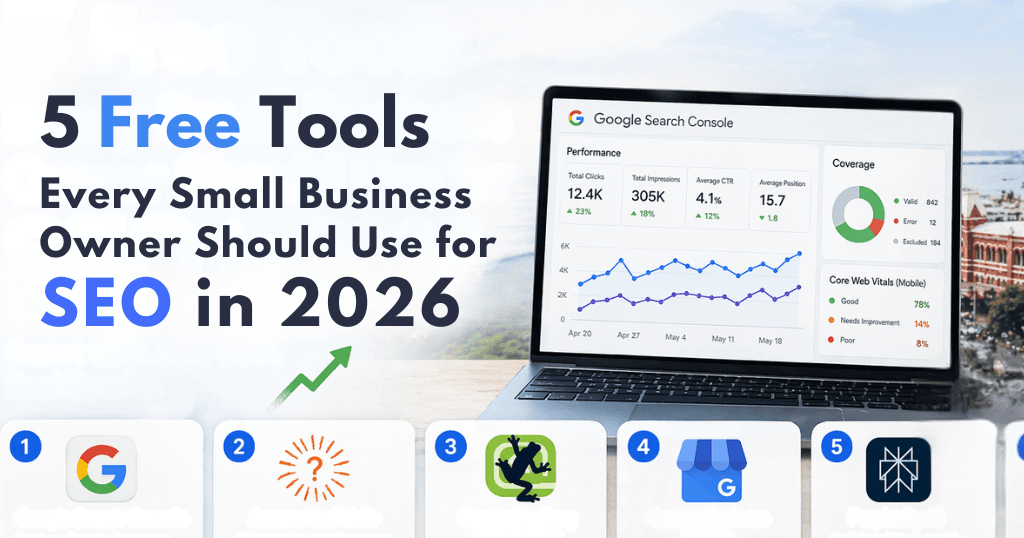
This guide covers five free tools that every small business owner should be using right now. Not as a consolation prize for those who can’t afford “the real thing,” but as a genuinely powerful foundation that most businesses — large or small — are not fully utilising. We’ll go deep on each one: what it actually does, why it matters in 2026’s AI-transformed search landscape, exactly how to use it, and the specific insights it will reveal about your current visibility and growth opportunities.
But first, a critical piece of context — because the SEO landscape these tools operate within has shifted dramatically, and understanding that shift changes how you use everything that follows.
The 2026 Search Landscape: Why the Rules Have Changed
To use these tools effectively, you need to understand what you’re optimising for. And in 2026, that’s a considerably more complex question than it was even two years ago.
The AI Overview Disruption
For most of Google’s history, “ranking on page one” meant appearing among the ten blue links in the organic results. That was the goal. That was the prize. Getting to the top of those ten links — ideally position one — was what SEO was fundamentally about.
That model has been disrupted, and disrupted significantly. Google’s AI Overviews now appear at the top of search results for a substantial portion of queries — particularly informational ones. These AI-generated summaries pull from multiple sources and present a synthesised answer before the user ever sees the traditional organic results beneath them. According to industry data from 2025–2026, approximately 65% of informational queries now return an AI Overview answer at the top of the results page.
This creates a profound shift in what “visibility” means. A business that ranks in position three organically but is cited in the AI Overview that appears above it may receive substantially more brand exposure than one ranking in position one but not cited. The goal is no longer just to rank — it’s to be recognised as a citable, trustworthy source by AI systems that are making editorial decisions about what to surface.
This is the concept at the heart of Generative Engine Optimisation (GEO), and it shapes how you should approach every tool in this guide.
The E-E-A-T Mandate
Google’s quality evaluator guidelines have always referenced E-A-T — Expertise, Authoritativeness, and Trustworthiness. In recent iterations, they’ve added a fourth E for Experience, creating the E-E-A-T framework. The practical meaning: Google is placing increasing weight on content that demonstrates genuine, first-hand experience and expertise. Generic content, surface-level articles, and keyword-stuffed pages are not just less effective — they’re actively penalised.
For small businesses, this is actually an opportunity. A local accountant in Chennai who writes from twenty years of direct client experience in the Indian tax system has a genuine authority signal that a national brand producing generic content cannot replicate. The tools in this guide help you identify where to deploy that authentic expertise for maximum impact.
The Mobile-First and Local Reality
Over 80% of local searches — searches with geographic intent, like “best chartered accountant near me” or “digital marketing agency in Chennai” — happen on mobile devices. Google’s ranking algorithm is mobile-first: it evaluates the mobile version of your site, not the desktop version, when determining where to rank you. For small businesses competing for local customers, this makes mobile performance not a nice-to-have but a baseline requirement.
Additionally, local search results are now dominated by the “Map Pack” — the three business listings that appear with a map at the top of results for local queries. Research consistently shows that businesses appearing in the Map Pack capture a disproportionate share of local search clicks. Small businesses that ignore local SEO optimisation lose an estimated 35% of potential local leads to competitors who have done the basic work to appear there.
All five tools in this guide directly address one or more of these realities. Let’s examine each in depth.
Tool 1: Google Search Console — The Most Important Free Tool in SEO
What Google Search Console Actually Is
Google Search Console (GSC) is a free platform provided directly by Google that shows you how Google sees, crawls, indexes, and ranks your website. This distinction is critical: Google Analytics tells you what happens after someone arrives on your site — how they behave, where they go, how long they stay. GSC tells you what happens before that — how Google discovered your site, which pages it has indexed, which queries are triggering your pages in search results, and whether there are any technical problems preventing your pages from appearing.
Think of it this way: Google Analytics is the customer behaviour data inside your store. Google Search Console is the map showing whether customers can even find and enter your store in the first place.
Setting It Up
If you haven’t set up GSC for your business website, this is your first action item. Go to search.google.com/search-console, add your property (your website), and verify ownership. Google offers several verification methods — the simplest for most people is adding a small piece of code to your website’s header, which your web developer or most website platforms (WordPress, Wix, Squarespace) can do in minutes. Once verified, GSC will begin collecting data, though it may take a few days before you see meaningful reporting.
The Five Reports That Matter Most
1. The Performance Report
This is the most valuable report in SEO. It shows you, for any time period you choose, every search query that resulted in your website appearing in Google’s results — along with how many times it appeared (Impressions), how many times someone clicked through (Clicks), your average position for each query, and your Click-Through Rate (the percentage of impressions that resulted in clicks).
The insights this data provides are profound:
Understand your actual search visibility: Most business owners have a rough sense of what keywords they’re targeting, but very little knowledge of what’s actually driving their current traffic. The Performance report often reveals unexpected queries — terms you never consciously optimised for — that are driving meaningful traffic, as well as queries you thought you were ranking for where your actual position is weaker than you assumed.
Identify “striking distance” keywords: This is one of the highest-value applications of GSC data. Filter the Performance report for queries where your average position is between 11 and 20 — in other words, you’re ranking on page two of Google. These are keywords where Google has already determined your content is relevant and worth ranking, but not quite good enough to break through to page one. The investment required to move from position 14 to position 4 is dramatically less than the investment required to rank for a term from scratch. A targeted content update — adding more depth, more specific data, more expert insight — can often push these “striking distance” keywords to page one within weeks.
Diagnose low CTR at high positions: If you’re ranking in positions 1–3 for a query but your CTR is lower than expected (a rough benchmark: position one typically achieves 25–35% CTR, position three around 10–15%), it suggests your title tag or meta description isn’t compelling enough to earn the click even when you’ve earned the ranking. This is a quick win — updating your page title to be more specific, benefit-focused, or emotionally resonant can increase click-through significantly without changing your ranking position.
2. The Index Coverage Report
This report shows you which pages of your website Google has successfully indexed — added to its database of searchable content — and which pages have encountered problems. Issues here are critical because a page that isn’t indexed is effectively invisible to search engines, regardless of its quality.
Common issues you’ll find here include:
• Excluded pages: Pages that exist on your site but haven’t been indexed, sometimes because they were inadvertently marked as “noindex,” sometimes because Google has judged their content too thin or low-quality to be worth indexing
• Crawl errors: Pages Google tried to access but couldn’t reach, often due to server errors or broken URL structures
• Redirect issues: Problems with how your site handles old URLs pointing to new ones
For small businesses that have gone through website redesigns, platform migrations, or periods of inconsistent content management, the Coverage report often reveals dozens or hundreds of pages with problems — each one a lost opportunity for search visibility.
3. The Core Web Vitals Report
Core Web Vitals are Google’s set of page experience metrics — specifically measuring how fast your page loads (Largest Contentful Paint), how quickly it becomes interactive (Interaction to Next Paint), and how stable the layout is as it loads (Cumulative Layout Shift). These are direct ranking factors, and the Core Web Vitals report in GSC shows you exactly which pages on your site are failing these thresholds and on which devices.
For mobile-heavy markets like Chennai, this report is particularly important. A page that loads in 1.8 seconds on desktop might load in 4.5 seconds on a mobile connection — a performance that will actively suppress your rankings for mobile searchers, who represent the majority of your potential local customers.
4. The Links Report
This shows you which external websites are linking to yours (backlinks) and which of your own pages are being linked to most frequently. Backlinks remain one of Google’s most important ranking signals — a link from a respected external site is a vote of confidence in your content’s quality and authority. The Links report helps you understand your current backlink profile, identify which pieces of your content are naturally attracting links (a signal to produce more content on those themes), and spot any potentially harmful links from low-quality sites that might warrant disavowal.
5. The Sitemaps Report
A sitemap is a file that tells Google about all the pages on your website, helping it crawl and index your content more efficiently. The Sitemaps report in GSC confirms whether Google has successfully processed your sitemap and highlights any errors. If you don’t have a sitemap submitted, this should be your first technical SEO action — most website platforms generate sitemaps automatically, and submitting it takes under two minutes.
Building a GSC Weekly Habit
The data in GSC is only valuable if you act on it. A simple weekly check — fifteen minutes on Monday morning — should cover: any new coverage errors (pages that have become inaccessible), any new manual actions (Google penalties), Core Web Vitals changes, and performance trends compared to the previous week. This habit will catch problems early, before they compound into serious ranking losses.
Tool 2: AnswerThePublic — Understanding the Questions Your Customers Are Actually Asking
Modern SEO is, at its core, about answering questions. Google’s entire mission — “to organise the world’s information and make it universally accessible and useful” — is a question-answering mission. Every query someone types into a search engine is, at its root, a question: a request for information, a desire to understand something, a need to be directed somewhere.
AnswerThePublic is a tool that visualises the questions people are actually asking about any topic, product, service, or concept. Its free tier, while limited in daily searches, provides extraordinary insight into the question landscape around your business — and that insight directly informs both your content strategy and your schema markup.
How AnswerThePublic Works
Enter any keyword or phrase into AnswerThePublic — say, “digital marketing,” “chartered accountant Chennai,” or “home interior design” — and it returns a visual “question cloud” and a structured list organised by question type: Who, What, When, Where, Why, How, Are, Is, Can, Will. It also shows comparison queries (“X vs Y”), alphabetical variations, and related searches.
The data is drawn from autocomplete suggestions across search engines — the same suggestions that appear when you start typing in the Google or Bing search bar. This makes it a direct window into real user intent: these aren’t hypothetical questions generated by an algorithm, they’re the actual questions that real people have typed often enough to generate autocomplete suggestions.
Why This Matters More in 2026
In 2026’s AI search environment, question-based content has become disproportionately valuable for two reasons.
First, AI Overviews and conversational AI tools like Perplexity and ChatGPT are designed to answer questions. When someone asks an AI assistant a question and the AI generates an answer, it draws from sources that clearly, directly, and authoritatively answer that specific question. Content structured as a clear question-and-answer — with the question as a heading and a concise, factually rich answer in the opening paragraphs — is far more likely to be cited by AI systems than general explanatory content that covers a topic broadly without addressing specific questions directly.
Second, the growing use of voice search — particularly on mobile — is inherently question-based. People don’t say “Siri, SEO services Chennai.” They ask “Hey Google, which SEO agency in Chennai is best for small businesses?” Voice search queries are long, conversational, and question-shaped. Content that matches this natural language pattern ranks significantly better for voice queries.
Practical Application for Small Businesses
Here’s a systematic approach to using AnswerThePublic:
Step 1: Map your core service areas. List every service or product category your business offers. For a small digital marketing agency in Chennai, this might include: SEO services, social media management, PPC advertising, website design, content marketing, email marketing.
Step 2: Run each core term through AnswerThePublic. For each service area, enter the core term and document the most relevant questions. Pay particular attention to questions that:
• Reveal common misconceptions (these make excellent “myth-busting” content)
• Express price or value concerns (“how much does X cost,” “is X worth it”)
• Express comparison intent (“X vs Y,” “best X for Y”)
• Reflect local intent (“X in Chennai,” “X near me”)
Step 3: Prioritise by business relevance and search volume. Not every question is worth writing about. Focus on questions where your answer would be genuinely useful to your potential customers and where the question intent aligns with someone who might eventually buy from you.
Step 4: Create content that directly answers the question. For each high-priority question, create a piece of content — a blog post, a FAQ page section, a dedicated landing page — that answers the question completely, specifically, and with genuine expert insight. The content should open with a direct, concise answer (this serves the AI citation goal), then expand with depth, data, and nuance for the reader who wants more.
The Chennai Market Application
For businesses serving the Chennai market specifically, AnswerThePublic reveals questions with strong local intent: “which industries benefit most from SEO in Chennai,” “how long does local SEO take to work in India,” “is digital marketing more effective than traditional marketing for Chennai businesses.” These hyper-local questions often have less competition than broad national queries, and answering them thoroughly signals strong local relevance to Google — directly benefiting your Map Pack and local search rankings. For any SEO agency in Chennai or business competing in the local market, this kind of hyper-local content is one of the fastest routes to meaningful organic visibility.
Tool 3: Screaming Frog SEO Spider — Your Free Technical SEO Audit Tool
Technical SEO is the discipline that ensures search engines can effectively access, crawl, and understand your website. It’s the foundation upon which everything else — your content quality, your backlinks, your schema markup — is built. A site with serious technical problems will underperform in search regardless of how good its content is, because search engines simply can’t navigate it efficiently.
Screaming Frog SEO Spider is a desktop application (available for Windows, Mac, and Linux) that crawls your website in exactly the same way search engine bots do, then presents a comprehensive technical audit of what it finds. The free version allows you to crawl up to 500 URLs — more than sufficient for the vast majority of small business websites.
What Screaming Frog Actually Does
When you run Screaming Frog on your website, it visits every page it can find, follows every link, and collects a huge range of data about each URL: response codes, page titles, meta descriptions, heading structure, image alt text, canonical tags, redirect chains, page depth from the homepage, load times, and much more.
The result is a detailed technical map of your website — the same map that Googlebot creates when it crawls you. The difference is that Screaming Frog presents this map in a readable, filterable interface that lets you identify and prioritise technical problems systematically.
The Five Technical Issues to Investigate First
1. Broken Links (404 Errors)
A 404 error occurs when a URL is requested but the page no longer exists — either because it was deleted, its URL changed, or it was never created properly. Broken links create a terrible user experience (a visitor clicks a link and hits a dead end), and they also waste what SEO professionals call “crawl budget” — the allocation of crawl activity that Googlebot devotes to your site. Screaming Frog identifies every broken link on your site, both internal links (from one page on your site to another) and external links (from your site to third-party pages that no longer exist).
For each broken internal link, the fix is either to update the link to point to the correct live URL, or to create a 301 redirect from the old URL to the most relevant live page. External broken links should simply be removed or replaced with updated links to working resources.
2. Missing and Duplicate Title Tags and Meta Descriptions
Your page title is the headline that appears in search results. Your meta description is the summary paragraph beneath it. Together, they’re your first impression on a potential visitor — the copy that determines whether someone clicks on your result or a competitor’s.
Screaming Frog identifies pages with: missing title tags, duplicate title tags (multiple pages sharing the same title), titles that are too long (truncated in search results), missing meta descriptions, duplicate meta descriptions, and descriptions that are too short or too long. For a small business website, this audit often reveals dozens of pages that are invisible or underperforming in search results simply because their titles and descriptions haven’t been crafted with search and user intent in mind.
3. Missing Image Alt Text
Alt text is the written description of an image — the text that screen readers use for visually impaired users and that search engines use to understand what an image depicts (since they can’t see images the way humans do). In 2026, alt text has an additional layer of importance: AI systems that crawl web content use image descriptions to build their understanding of a page’s context. Images without alt text are invisible to these systems.
Screaming Frog shows you every image on your site without alt text. The fix is simple but time-consuming: write a concise, descriptive alt text for each image. Good alt text describes what the image shows (not “image of office”) in a way that would make sense to someone who couldn’t see it (“Team of five designers collaborating around a whiteboard in a Chennai office”).
4. Redirect Chains and Loops
A redirect is an instruction that tells a browser (and search engine) to go to a different URL than the one they requested. A single, direct redirect is fine — it’s how you correctly handle old URLs after a website redesign. A redirect chain is when URL A redirects to URL B, which redirects to URL C, which redirects to URL D. Each hop in that chain adds load time and dilutes the authority signals being passed between URLs.
Screaming Frog identifies all redirect chains on your site, allowing you to collapse them into single, direct redirects. This is particularly important for websites that have gone through multiple redesigns — redirect chains from older migrations often persist for years, quietly dragging down performance.
5. Duplicate Content
Duplicate content occurs when the same or very similar content appears on multiple URLs on your site. This happens more commonly than most business owners realise: www and non-www versions of pages, HTTP and HTTPS versions, URL parameter variations (pages like yoursite.com/products?sort=price and yoursite.com/products?sort=name showing the same content), category pages and tag pages in WordPress sharing very similar content.
When Google finds multiple pages with the same content, it has to choose which version to index and rank — and it often doesn’t choose the one you’d prefer. Screaming Frog identifies duplicate and near-duplicate content, allowing you to implement canonical tags (code that tells Google which version of a page is the “official” one) or redirect duplicates to the primary URL.
Building a Screaming Frog Audit Routine
For small businesses, a monthly Screaming Frog crawl is usually sufficient. Run the crawl, export the results to a spreadsheet, and work through issues by priority: broken links first (most damaging to user experience), then missing titles and descriptions (most directly impactful on click-through rates), then redirect chains (technical hygiene), then duplicate content (longer-term ranking health), then image alt text (accessibility and AI citability).
Tool 4: Google Business Profile — Your Most Valuable Local SEO Asset
For any business with a physical location or a defined local service area, Google Business Profile (GBP) is arguably more important than your website for local search visibility. This is where your local search presence lives — and it’s completely free.
Understanding the Map Pack
When someone searches for a local service — “best coffee shop near me,” “dentist in Adyar,” “SEO agency in Chennai” — Google often returns a “Map Pack” at the top of results: a map with three business listings beneath it, each showing the business name, rating, address, phone number, and hours. These three listings capture the lion’s share of clicks for local searches — often 40–60% of all clicks on the results page, dwarfing the organic results below.
Your Google Business Profile is the primary factor determining whether your business appears in that Map Pack. An incomplete, unverified, or poorly maintained GBP profile is the most common reason local businesses are invisible in local search, regardless of how good their website is.
Setting Up and Optimising Your Profile
Claim and verify your profile: Start at business.google.com. Search for your business to check if a listing already exists (Google often creates basic listings automatically from publicly available data). If one exists, claim it. If not, create one. Verification typically happens by postcard (Google mails a code to your business address), phone call, or email, depending on your business type.
Complete every section: Google rewards completeness. Fill in your business name (exactly as it appears in the real world — no keyword stuffing in the name field, which violates Google’s guidelines), address, phone number, website, hours of operation (including special hours for holidays), business category (choose the most specific primary category that describes your main service), and secondary categories for additional services.
Write a substantive business description: The description section allows 750 characters. Use all of them. Describe what you do, who you serve, what makes you different, and — naturally, not forcefully — include terms that describe your services and location. This is not a place for promotional language (“best,” “number one,” “leading”) but for genuinely informative description.
Add photos strategically and consistently: Google Business Profiles with high-quality photos receive significantly more clicks than those without. Upload photos of your premises, your team, your work output, and your products or services. Mark your photos appropriately (interior, exterior, team, at work). Add new photos regularly — weekly, if possible. Google’s algorithm treats recent photo uploads as a signal of an active, maintained business.
The 2026 Local SEO Checklist
Weekly updates: Post at least one update per week using the Posts feature. This can be a short piece of news, a promotion, a recently completed project, a blog post summary, or an event. Posts expire after seven days, so weekly is the minimum cadence to maintain a current presence.
Review management: Reviews are one of the most significant ranking factors in local search, and how you respond to them signals to Google (and potential customers) whether your business is actively managed. Respond to every review within 24 hours — positive reviews with genuine appreciation (not a copy-paste template), negative reviews with a calm, professional acknowledgment and an offer to resolve the issue privately. Never argue with reviewers in public responses; even if a review is unfair, a measured, professional response reflects well on your business.
Q&A section: The Q&A section of your GBP profile allows anyone to ask a question — and anyone to answer it. Left unmanaged, this section can become a source of incorrect information. Proactively populate it with your most common customer questions and thorough answers. This serves two purposes: it provides useful information to potential customers and it gives Google additional structured data about what your business does and how it serves its customers.
Services and products: List every service you offer in the Services section with complete descriptions. This data directly contributes to Google’s understanding of what your business is — its “entity definition” — which influences not just your GBP visibility but your organic search rankings.
Messaging: Enable messaging to allow potential customers to contact you directly from your GBP listing. Respond to messages promptly — Google tracks your response rate and time, and slow responses can suppress your listing’s visibility.
Citations and Consistency
Your GBP profile is most powerful when it’s part of a consistent web of information about your business. Your business name, address, and phone number (the “NAP”) should be identical everywhere it appears online: your website, your social profiles, business directories (Justdial, Sulekha, IndiaMART, Google Maps, Apple Maps), industry-specific directories, and any other online mentions. Inconsistency in your NAP data — even small variations, like “St” vs “Street” — weakens Google’s confidence in your business’s legitimacy and can suppress your local rankings.
Tool 5: Perplexity AI — Auditing Your Brand’s AI Citability
The fifth tool on this list is the most 2026-specific: Perplexity AI, a search engine built around AI-generated answers that cites its sources in real time.
Why Perplexity Is an SEO Tool
Perplexity functions as a window into how AI systems understand, represent, and talk about businesses like yours. When someone asks Perplexity a question, it searches the web, synthesises information from multiple sources, and presents a cited, conversational answer. The sources it cites — and how accurately it represents what those sources say — reflect the current state of your brand’s “AI citability.”
For small businesses, Perplexity serves as a free, accessible way to audit something that was previously very difficult to measure: how AI systems perceive your brand. This matters enormously in 2026 because AI Overviews on Google, ChatGPT search, and similar tools are all drawing from similar pools of information to generate their answers. If Perplexity can’t find accurate, comprehensive information about your business and what it offers, neither can Google’s AI Overview. You have a citation gap — and that gap is costing you visibility.
The Perplexity Audit Process
Step 1: Search for your business directly. Type your business name into Perplexity and examine the results carefully. What does Perplexity say you do? Is it accurate? Is it complete? Does it represent your most important services? Does it cite your own website, or only third-party mentions? If the description is inaccurate, incomplete, or based on outdated information, this tells you your brand’s online footprint needs strengthening.
Step 2: Search for your services in your market. Try queries like “best [your service] in [your city]” or “[your service type] for [your target client] in [your area].” Does your business appear in the results? If not, which competitors do? What sources does Perplexity cite for those competitors — and are those source types (local directories, news mentions, industry publications) ones where you could also be represented?
Step 3: Search for your industry’s key questions. Take the questions you identified with AnswerThePublic and run them through Perplexity. If someone asks a question that your business should be able to answer authoritatively, does your content appear in the cited sources? If not, you’ve identified a specific content gap — a question where you could create content that both serves potential customers and builds your citability in AI systems.
Step 4: Analyse citation sources. Look at where Perplexity is drawing its information from in your category. Common sources include: business directories (Google, Yelp, Justdial), news articles, industry publications, well-known blogs, LinkedIn company profiles, review platforms. Each of these is a type of source where your business should have a presence and accurate, up-to-date information.
Addressing a Citation Gap
If your Perplexity audit reveals that AI systems are struggling to find or accurately represent your business, the core remedies are:
Increase your mentions on authoritative external sites: This doesn’t require press coverage in national media (though that’s excellent if achievable). Local news mentions, contributions to industry publications, guest posts on respected blogs in your field, features in Chamber of Commerce publications, and comprehensive listings in credible local directories all contribute to your AI citability.
Strengthen your schema markup: Schema markup is structured data code added to your website that explicitly tells AI systems — and search engines — what your business is, what it does, who it serves, where it operates, and how to contact it. Schema markup is read by both traditional search crawlers and AI crawlers, and its absence is one of the most common reasons businesses are poorly represented in AI-generated answers. For small businesses, the most important schema types are: LocalBusiness (or the most specific subtype — Restaurant, MedicalBusiness, LegalService, etc.), Service, Review, FAQ, and Article.
Create content that directly and comprehensively answers your key questions: AI systems favour content that provides clear, specific, well-supported answers over content that discusses a topic generally. Each piece of content you create should have an identifiable question it answers, and it should answer that question completely and authoritatively.
Integrating These Tools: A Weekly SEO Power Hour
The value of these tools is not in any one-time audit — it’s in the consistent, systematic habit of monitoring your performance, identifying opportunities, and executing improvements. Here’s a practical weekly routine that takes roughly 60 minutes:
Monday — 15 Minutes with Google Search Console
Open GSC and check three things: any new Coverage errors (pages that have become inaccessible since last week), the Performance report for the previous seven days compared to the same period the previous week (are clicks and impressions trending up or down?), and any new Manual Actions or Security Issues (rare, but critical to catch immediately). If you find striking-distance keywords in positions 11–20 that you haven’t addressed recently, add them to your content improvement list.
Wednesday — 20 Minutes with AnswerThePublic and Your Blog
Run one core term from your business through AnswerThePublic. Identify one question that is genuinely relevant to your potential customers and that you haven’t already addressed in your content. Write a focused 300–500 word post that directly and thoroughly answers that question — not a generic overview, but a specific, expert answer that reflects your genuine knowledge. Publish it, make sure it appears in your sitemap, and submit it to GSC for indexing.
Friday — 25 Minutes with Google Business Profile and Perplexity
Update your GBP with one new photo and one new Post. Respond to any reviews that have come in during the week. Then spend five minutes running your business name and one key service query through Perplexity — check whether your citations are accurate and whether your content is appearing for relevant questions. Note any gaps for your content calendar.
Monthly — 30 Minutes with Screaming Frog
Run a full crawl of your site, export the results, and work through the priority issues: broken links, missing titles/descriptions, redirect chains, duplicate content. Fix as many as you can, log the rest for your development queue.
When Free Tools Reach Their Natural Limit
This guide has been deliberately optimistic about what free tools can achieve — because they genuinely can achieve a great deal. But intellectual honesty requires acknowledging where the ceiling is.
Free tools excel at monitoring, diagnosing, and identifying opportunities. They are excellent for maintenance SEO and for a business in the growth phase of its organic search journey. What they cannot do:
Build authoritative backlinks at scale: The most powerful ranking factor in SEO — earning links from genuinely respected, high-authority external sites — cannot be accomplished with a free tool. It requires relationships, pitch skills, quality content that publications want to reference, and often direct outreach. Digital PR is a craft, and free tools don’t perform it for you.
Produce expert-level content at volume: AnswerThePublic can tell you which questions to answer. Writing the expert, E-E-A-T-compliant, factually dense, AI-citable content that actually ranks for those questions is a separate skill — one that requires genuine subject matter expertise, research, editorial quality, and consistent output at scale.
Execute complex technical SEO: Screaming Frog identifies technical problems. Solving the more complex ones — JavaScript rendering issues, international SEO infrastructure, Core Web Vitals improvements that require developer intervention, API integrations — requires technical skill beyond what any free tool provides.
Provide competitive intelligence at depth: Free tools give you visibility into your own performance. Understanding what your top competitors are doing — their full keyword portfolios, their link acquisition strategies, their content gap opportunities — requires paid tools like Semrush or Ahrefs or the expertise of a specialist who interprets that data strategically.
When your business reaches the scale where these limitations are constraining your growth, that’s the moment to consider partnering with a specialist — whether one of the established SEO companies in Chennai or a firm elsewhere. Not to replace the disciplined free-tool habits you’ve built, but to build on top of them with the strategic firepower that systematic, professional SEO delivers.
Conclusion: Consistency Beats Complexity
The most important thing this guide should leave you with is not a long list of tasks to complete. It’s a simpler idea: consistency beats complexity.
Small businesses that check Google Search Console every week, that publish one genuinely useful piece of content every week, that update their Google Business Profile consistently, that run a monthly technical audit, and that periodically check their AI citability through Perplexity — these businesses compound their search visibility steadily over time. They don’t need a massive budget or an enterprise-grade software stack to do this. They need a system and the discipline to maintain it.
The five tools in this guide are that system. Google Search Console is your performance dashboard and early warning system. AnswerThePublic is your content intelligence. Screaming Frog is your technical health monitor. Google Business Profile is your local search presence. Perplexity is your AI citability mirror.
Used consistently, with genuine focus on creating content and experiences that serve your actual customers rather than gaming algorithms, these tools will build an organic search presence that compounds month over month — a durable competitive advantage that, unlike paid advertising, continues to deliver value long after the original work is done.
The search landscape of 2026 rewards businesses that take this seriously. Whether you’re operating independently or working alongside a digital marketing agency in Chennai, the fundamentals remain the same: show up consistently, answer your customers’ questions better than anyone else, and let the compounding do its work.

No comment yet, add your voice below!