
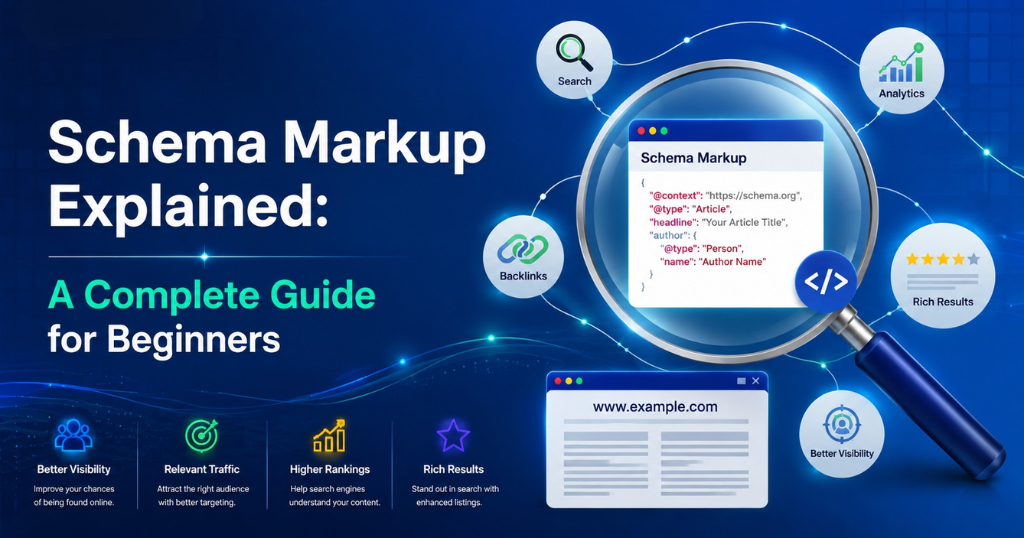
Schema markup is structured data code — written in JSON-LD, Microdata, or RDFa format — that you add to your website’s HTML to explicitly tell search engines what your content means, not just what it says, enabling rich results like star ratings, FAQ dropdowns, and event details that appear directly in Google’s search results. It doesn’t directly improve your ranking position, but it significantly improves how your listing appears in search results — and richer, more informative results consistently earn higher click-through rates from the same position.
This guide explains everything a beginner needs to know about schema markup: what it is, how it works, which types matter most, how to implement it without writing code, and how to verify it’s working. Whether you’re managing SEO for your own business or working with an SEO agency in Chennai, this is the complete reference.
What Is Schema Markup and Why Does It Matter?
Schema markup is a shared vocabulary of structured data maintained by Schema.org — a collaborative project founded jointly by Google, Bing, Yahoo, and Yandex in 2011. It provides a standardized set of tags (called “types” and “properties”) that websites can use to describe their content in a format that search engines understand unambiguously.
Without schema markup, a search engine sees this:
“Weboin offers SEO and digital marketing services in Chennai with 4.9 star reviews from over 300 clients.”
With schema markup, the search engine understands:
Organization: Weboin. Service: SEO. Location: Chennai, India. AggregateRating: 4.9/5 from 300 reviews.
This distinction matters because search engines that understand content with machine-readable certainty can do more with it — surfacing it in rich results, AI summaries, voice search responses, and featured snippets with far greater accuracy.
The Business Case for Schema Markup
The commercial impact of schema markup is documented across multiple studies:
- According to Google’s own Webmaster Central data, pages with rich results enabled through schema markup see an average 20–30% improvement in click-through rate compared to equivalent pages without rich results
- Search Engine Land research found that FAQ rich results (enabled by FAQ schema) can increase a page’s SERP real estate by 200–300% — displaying expandable Q&A entries directly below the main result
- A Semrush analysis of 10 million pages found that only 17% of websites have any form of schema markup implemented — meaning implementing it correctly places you significantly ahead of the majority of competitors in search visibility
- According to Milestone Research’s 2024 Digital Marketing study, businesses with LocalBusiness schema markup show 36% higher local organic traffic than equivalent businesses without it
- Google’s Rich Results Test data shows that pages with correct structured data are crawled 15% more efficiently by Google’s algorithms — meaning schema implementation also improves indexation speed for new content
For any business serious about SEO — whether managed in-house or with a digital marketing company in Chennai — schema markup is the technical SEO investment with one of the clearest, most measurable returns available.
How Schema Markup Works: The Technical Foundation (Simplified)
Schema markup works by adding a layer of semantic context to your HTML. This context is communicated through one of three formats:
The 3 Schema Formats
| Format | Description | Recommended For |
|---|---|---|
| JSON-LD | JavaScript code placed in <script> tags, separate from HTML content | All websites — Google’s preferred format |
| Microdata | HTML attributes embedded directly in content tags | Legacy implementations; not recommended for new work |
| RDFa | HTML attributes in the Resource Description Framework | Rarely used; primarily for semantic web applications |
Why JSON-LD is the Recommended Format
Google explicitly recommends JSON-LD as the preferred schema markup format because it can be added to any page without modifying the actual HTML content structure—making it easier to implement, easier to debug, and easier to update.
The JSON-LD Structure
Every schema markup implementation follows the same basic structure:
<script type="application/ld+json">
{
  "@context": "https://schema.org",
  "@type": "Organization",
  "name": "Weboin",
  "url": "https://weboin.com",
  "address": {
    "@type": "PostalAddress",
    "addressLocality": "Chennai",
    "addressRegion": "Tamil Nadu",
    "addressCountry": "IN"
  }
}
</script>
The Three Required Elements
- @context: Always
https://schema.org— tells the parser which vocabulary you’re using. - @type: The Schema.org type describing what the content is (Organization, Article, FAQPage, LocalBusiness, etc.).
- Type-specific properties: The descriptive data fields for that type (name, URL, address, etc.).
You don’t need to be a developer to understand this—the structure is consistent, and tools exist to generate it without writing any code.
The Most Important Schema Types and When to Use Each
Schema.org defines hundreds of types. For most businesses, 6–8 types cover the vast majority of practical SEO value. Here’s when each matters and why.
1. LocalBusiness Schema
What it is: Structured data that describes a business’s identity, location, hours, contact information, and service area to search engines.
Why it matters for local SEO: LocalBusiness schema is the foundation of local SEO structured data. It directly supports rich local results — including knowledge panel population, business details in Maps, and AI local summary data. For any digital marketing agency in Chennai or local service business, this is the single most important schema type to implement.
Key properties to include:
{
“@type”: “LocalBusiness”,
“name”: “Weboin”,
“description”: “Full-service digital marketing agency in Chennai”,
“url”: “https://weboin.com”,
“telephone”: “+91-XXXXX-XXXXX”,
“address”: {
“@type”: “PostalAddress”,
“streetAddress”: “123 Anna Nagar”,
“addressLocality”: “Chennai”,
“addressRegion”: “Tamil Nadu”,
“postalCode”: “600040”,
“addressCountry”: “IN”
},
“geo”: {
“@type”: “GeoCoordinates”,
“latitude”: 13.0827,
“longitude”: 80.2707
},
“openingHoursSpecification”: […],
“priceRange”: “₹₹”,
“aggregateRating”: {
“@type”: “AggregateRating”,
“ratingValue”: “4.9”,
“reviewCount”: “312”
}
}
LocalBusiness subtypes to consider: Schema.org offers over 100 LocalBusiness subtypes — from Restaurant to LegalService to InternetMarketingService. Using the most specific applicable subtype instead of the generic LocalBusiness type provides additional ranking signal precision.
2. Organization Schema
What it is: Structured data describing a company’s fundamental identity — name, logo, contact information, social profiles, and founding details.
Why it matters: Organization schema populates Google’s Knowledge Panel for your brand. When someone searches your company name directly, a well-implemented Organization schema ensures the knowledge panel shows the correct logo, description, social profiles, and contact information.
Key properties:
- name, legalName
- logo (URL to your logo image)
- foundingDate
- sameAs (array of URLs to your social profiles on LinkedIn, Facebook, Twitter/X, Instagram)
- contactPoint (phone number and contact type)
The sameAs property is particularly important: It connects your website entity to your social profiles, creating a multi-signal entity identity that Google uses to populate Knowledge Panels and AI business summaries with confidence.
3. Article Schema
What it is: Structured data for blog posts, news articles, and editorial content that describes the article’s headline, author, publication date, and featured image.
Why it matters: Article schema enables byline information, publication dates, and article thumbnails to appear in Google’s rich results — particularly in Google Discover, Google News, and AI Overviews. It also helps establish author entities, which are an increasingly important E-E-A-T signal for content ranking.
Key properties:
- headline (the article title, under 110 characters)
- author (with @type: “Person” or “Organization” and name)
- datePublished and dateModified (ISO 8601 format: “2025-01-15”)
- image (URL to the featured image)
- publisher (Organization type with name and logo)
The Article type hierarchy: Schema.org offers subtypes: Article (general), NewsArticle, BlogPosting, and TechArticle. For standard blog content, BlogPosting or Article are both appropriate. Use NewsArticle only for timely news content.
4. FAQ Schema
What it is: Structured data that marks up a page’s question-and-answer content, enabling Google to display expandable FAQ entries directly in search results.
Why it matters for SERP real estate: FAQ rich results expand your search result significantly — displaying 2–4 expandable questions below your main result link. This can increase your SERP real estate by 200–300% on mobile, significantly improving visibility and click-through rates.
Important 2024–2025 update: Google has reduced the prevalence of FAQ rich results for commercial pages, focusing FAQ display primarily on authoritative government, health, and information sources. However, FAQ schema remains highly valuable for:
- Informational blog content
- FAQ pages
- Service pages with genuine customer questions
- Content that already ranks in the top 5 for informational queries
Implementation requirement: The page must contain a visible FAQ section with questions and answers — schema markup cannot be applied to content that doesn’t exist on the page.
Key properties:
{
“@type”: “FAQPage”,
“mainEntity”: [
{
“@type”: “Question”,
“name”: “What is local SEO?”,
“acceptedAnswer”: {
“@type”: “Answer”,
“text”: “Local SEO is the practice of optimizing…”
}
}
]
}
5. HowTo Schema
What it is: Structured data for step-by-step instructional content that describes the steps, materials, and time required to complete a process.
Why it matters: HowTo schema can generate rich results showing numbered steps — and sometimes images for each step — directly in search results. For tutorial and guide content, this significantly increases visual prominence and click-through rates.
Key properties:
- name (the guide title)
- step (array of HowToStep items)
- Each HowToStep includes: name, text, and optionally image
- totalTime (ISO 8601 duration format: “PT30M” for 30 minutes)
- supply and tool (materials needed)
6. Review and AggregateRating Schema
What it is: Structured data that marks up product, service, or business reviews — both individual reviews and aggregate rating summaries.
Why it matters: Star ratings in search results are one of the most impactful click-through rate improvements available. A listing showing ⭐⭐⭐⭐⭐ 4.9 (312 reviews) achieves dramatically higher CTR than an equivalent listing without star ratings.
Key considerations:
- Individual Review schema applies to specific customer reviews displayed on your page
- AggregateRating applies to a summary rating (average score and review count)
- Both can be combined with LocalBusiness, Product, or Service schema
- Reviews must be genuine customer reviews displayed on the page — fabricated reviews violate both Google’s guidelines and consumer protection laws
Google’s review schema requirements:
- The reviews or rating summary must be visible on the page (not just in the markup)
- First-party reviews (reviews on your own site) are eligible; GBP reviews require the GBP API or a review widget
- The itemReviewed property must specify what is being reviewed
7. Breadcrumb Schema
What it is: Structured data that describes the navigation hierarchy of a page — showing how to navigate from the homepage to the current page.
Why it matters: Breadcrumb rich results replace the URL in search results with a cleaner hierarchical navigation display (e.g., “Home > Blog > SEO > Schema Markup”). This makes results look more organized and professional, improving CTR.
Key properties:
{
“@type”: “BreadcrumbList”,
“itemListElement”: [
{
“@type”: “ListItem”,
“position”: 1,
“name”: “Home”,
“item”: “https://weboin.com”
},
{
“@type”: “ListItem”,
“position”: 2,
“name”: “Blog”,
“item”: “https://weboin.com/blog”
},
{
“@type”: “ListItem”,
“position”: 3,
“name”: “Schema Markup Guide”,
“item”: “https://weboin.com/blog/schema-markup-guide”
}
]
}
8. Event Schema
What it is: Structured data for events — webinars, workshops, conferences, performances — describing the event name, date, location, and registration details.
Why it matters: Event schema enables rich event results in Google — showing event cards with dates, locations, and ticket/registration links. For businesses running webinars, workshops, or public events, this provides significant SERP visibility for event-related queries.
Key properties: name, startDate, endDate, location (with VirtualLocation for online events), organizer, url, eventStatus, eventAttendanceMode
Schema Markup Implementation: 4 Methods from No-Code to Developer
Method 1: WordPress Plugin (Easiest — Recommended for Beginners)
For WordPress sites, plugins generate and inject schema markup automatically — with no code knowledge required.
Best WordPress schema plugins:
| Plugin | Best For | Cost | Key Feature |
|---|---|---|---|
| Rank Math | Comprehensive SEO + schema | Free / ₹5,500/year | Automated schema for posts/pages, 20+ schema types |
| Yoast SEO Premium | Full SEO suite with schema | ₹10,000+/year | Tight WordPress integration, FAQ and HowTo blocks |
| Schema Pro | Dedicated schema focus | ₹6,000+/year | Supports 20+ types, conditional rules |
| AIOSEO | All-in-one SEO | Free / ₹8,000+/year | Local business schema built-in |
Rank Math setup for beginners:
- Install and activate Rank Math from WordPress plugins
- Navigate to Rank Math → Schema
- For each page/post type, select the appropriate schema type
- Fill in the required fields (the interface is visual — no code needed)
- Rank Math automatically generates and injects the correct JSON-LD
Method 2: Schema Markup Generators (No-Code for Non-WordPress Sites)
For non-WordPress websites, free schema markup generators produce the correct JSON-LD code that you copy and paste into your page’s <head> section.
Recommended generators:
- TechnicalSEO.com/tools/schema-markup-generator — supports 30+ schema types, visual interface
- Merkle’s Schema Markup Generator — particularly strong for LocalBusiness and Organization
- Schemantra — comprehensive type support with real-time validation
Step-by-step for using a generator:
- Select the schema type you need
- Fill in the form fields (the interface shows which properties are available)
- Copy the generated JSON-LD code
- Paste it into the <head> section of the relevant page
- Validate using Google’s Rich Results Test before going live
Method 3: Google Tag Manager (For Multiple Pages Without Developer Access)
Google Tag Manager (GTM) allows you to inject schema markup across multiple pages based on rules — without editing the website’s code directly.
GTM schema implementation:
- Create a new tag in GTM
- Choose tag type: “Custom HTML”
- Paste the JSON-LD schema markup in the HTML field
- Set a trigger: “Page View” → “Some Pages” → define which pages should receive this tag using URL match rules
- Preview and verify before publishing
When GTM is the right method:
- Large sites with many pages that need the same schema type (e.g., all blog posts need Article schema)
- Sites where developer access is limited
- Sites using CMS platforms other than WordPress
Method 4: Direct Code Implementation (For Developers)
For developers or sites with direct code access, JSON-LD schema is added directly to the <head> section of each page:
<head>
<!– Other head elements –>
<script type=”application/ld+json”>
{
“@context”: “https://schema.org”,
“@type”: “LocalBusiness”,
“name”: “Your Business Name”,
…
}
</script>
</head>
For dynamically generated pages (e-commerce product pages, individual blog posts), the schema can be generated server-side with variables populated from the content management system.
How to Validate Schema Markup (The Essential Verification Step)
Implementing schema markup incorrectly provides no benefit and can generate Search Console warnings that clutter your performance data. Validation is mandatory before considering any schema implementation complete.
The 3 Validation Tools
Tool 1: Google’s Rich Results Test URL: search.google.com/test/rich-results
This is Google’s official tool for validating schema markup. It:
- Fetches the page as Google sees it (including JavaScript-rendered content)
- Shows which rich result types the page is eligible for
- Highlights any errors or warnings in the schema implementation
- Shows a preview of how the rich result will appear in search
How to use it:
- Enter the URL of a page with schema markup
- Click “Test URL”
- Review the “Detected rich results” section — each valid schema type appears as a green item
- Click any item to see the specific properties Google detected and any errors or warnings
- Fix all errors; warnings are advisory but worth reviewing
Tool 2: Schema Markup Validator URL: validator.schema.org
This is Schema.org’s own validation tool. It validates markup against the Schema.org specification — more comprehensive than Google’s tool for identifying issues with rarely-used schema types. Paste your JSON-LD code directly or enter a URL.
Tool 3: Google Search Console — Rich Results Report For live monitoring after implementation:
- Navigate to Google Search Console → Enhancements
- Select the rich result type (FAQ, HowTo, Article, LocalBusiness, etc.)
- Review valid items, items with warnings, and items with errors
- Trend data shows whether rich results are increasing or experiencing issues over time
Schema Markup for Local SEO: The Priority Implementation Stack
For businesses focused on local SEO — appearing in local search results, Google Maps, and Google’s AI local summaries — a specific stack of schema types delivers the highest combined return.
The Local SEO Schema Priority Stack
Priority 1: LocalBusiness (or specific subtype) The foundational schema for any business with a physical location or defined service area. Implement on the homepage and all location-specific pages.
Priority 2: Organization Establishes the brand entity for Knowledge Panel population. Implement on the homepage.
Priority 3: BreadcrumbList Applied site-wide — improves how all pages appear in search results with cleaner URL/navigation display.
Priority 4: FAQPage Applied to service pages and the site FAQ page — extends SERP real estate for key service queries.
Priority 5: Article/BlogPosting Applied to all blog content — establishes author entities and publication dates for content ranking.
Priority 6: Review/AggregateRating Applied to service pages that display customer testimonials — enables star ratings in search results.
The combined local SEO schema effect: A business with all six of these implemented correctly creates multiple search result enhancement points simultaneously: a richer local knowledge panel (Organization + LocalBusiness), star ratings on service pages (AggregateRating), expandable FAQ dropdowns (FAQPage), cleaner breadcrumb navigation (Breadcrumb), and publication metadata for blog content (Article). The cumulative CTR improvement from this stack significantly outperforms any single schema type in isolation.
Common Schema Markup Mistakes (And How to Avoid Them)
Mistake 1: Marking Up Content That Isn’t Visible on the Page Schema markup must describe content that actually exists on the page. Adding FAQ schema for questions that aren’t shown to users, or adding AggregateRating schema for reviews that aren’t displayed, violates Google’s structured data guidelines and risks a manual penalty.
Mistake 2: Using the Wrong Schema Type Applying Product schema to a service page, or Article schema to a product page, provides misleading signals. Match the schema type precisely to the content type.
Mistake 3: Missing Required Properties Every schema type has required properties — without them, the schema is invalid and ineligible for rich results. The Rich Results Test tool identifies missing required properties explicitly. Common omissions: name (nearly all types), image (Article, Recipe, Product), datePublished (Article).
Mistake 4: Incorrect Date Formatting Dates in schema must use ISO 8601 format: “2025-03-15” not “March 15, 2025” or “15/03/2025”. Invalid date formatting renders date-dependent rich results ineligible.
Mistake 5: Implementing Schema but Not Monitoring Performance Schema markup requires ongoing monitoring. Google’s algorithms update how they process structured data regularly — a schema implementation that worked last year may need updating this year. Monthly Search Console checks of the Rich Results Report ensure issues are caught early.
Mistake 6: Duplicating Schema Already Generated by a Plugin On WordPress sites with schema plugins, manually adding additional JSON-LD for the same type creates conflicting markup. Audit existing schema before adding new implementation.
How Weboin Implements Schema Markup for SEO Clients
At Weboin, a specialist SEO company in Chennai managing technical SEO for businesses across industries, schema markup is a standard deliverable in every SEO engagement — not an optional extra.
Our schema implementation process:
Audit Phase: We run every client site through Google’s Rich Results Test and Schema Markup Validator, identifying: which pages have schema implemented, which have errors, which schema types are missing from pages where they should be present, and which pages are eligible for rich results they’re not currently earning.
Implementation Phase: We implement the full local SEO schema priority stack — LocalBusiness, Organization, Breadcrumb, FAQPage (with seeded questions from keyword research), Article (across all blog content), and AggregateRating (where testimonials exist on service pages). For e-commerce clients, we add Product and Offer schema. For event-hosting clients, we add Event schema.
Validation and Monitoring: Every schema implementation is validated in both Google’s Rich Results Test and Schema Markup Validator before going live. We monitor Search Console’s Rich Results Report monthly and address any new errors or warnings.
As a full-service digital marketing agency in Chennai, Weboin integrates schema implementation with content SEO, local SEO, and technical SEO — ensuring that structured data enhances every other component of the client’s search visibility strategy.
Schema Markup Quick Reference: Which Type for Which Page
| Page Type | Primary Schema | Supporting Schema |
|---|---|---|
| Homepage | Organization + LocalBusiness | BreadcrumbList |
| Blog post | Article (or BlogPosting) | BreadcrumbList, FAQPage (if FAQ section) |
| Service page | Service (nested in LocalBusiness) | FAQPage, AggregateRating, BreadcrumbList |
| FAQ page | FAQPage | BreadcrumbList |
| About page | Organization, Person | BreadcrumbList |
| Product page | Product | AggregateRating, Offer, BreadcrumbList |
| Contact page | LocalBusiness | BreadcrumbList |
| Event page | Event | Organization, BreadcrumbList |
| How-to guide | HowTo | Article, BreadcrumbList |
Frequently Asked Questions About Schema Markup
Schema markup is code you add to your website that tells search engines exactly what your content means — not just what it says. It uses a standardized vocabulary from Schema.org to label content as a business, article, FAQ, review, event, or other content type, enabling Google to display enhanced search results like star ratings, FAQ dropdowns, and event details.
Schema markup is not a direct ranking factor — it doesn't push your page higher in organic results by itself. It improves how your existing ranking position appears in search results (star ratings, FAQ dropdowns, breadcrumbs), which typically increases click-through rates from those positions. Better CTR from the same position means more traffic without necessarily needing a higher ranking.
For local businesses, implement LocalBusiness schema first — it has the most direct impact on local SEO visibility. For content-focused sites, start with Article and FAQ schema. For e-commerce, start with Product schema. For any business, BreadcrumbList schema is a simple, universally beneficial first implementation.
No. For WordPress sites, plugins like Rank Math handle schema implementation without any code knowledge. For non-WordPress sites, free schema generators (like TechnicalSEO.com's generator) create the code you need to copy and paste. The implementation method scales with technical expertise — but no-code options exist for every website type.
Use Google's Rich Results Test (search.google.com/test/rich-results) to validate your implementation immediately after adding schema. For long-term monitoring, check Google Search Console's "Enhancements" section — it shows which schema types are generating valid rich results and flags any errors in your implementation.
Final Thought: Schema Markup Is One of the Highest-Return Technical SEO Investments
Most technical SEO activities require significant ongoing investment — content creation, link building, speed optimization. Schema markup is different: implement it correctly once, maintain it as your content evolves, and it continuously improves how Google represents your content in search results without requiring ongoing creative or promotional resources.
The businesses earning star ratings, FAQ dropdowns, and rich local results in Google’s search results have a competitive advantage over those without — more SERP real estate, higher CTR from the same position, and richer representation in AI-powered search features. And since only 17% of websites have any schema markup at all, implementation still represents a significant differentiation opportunity.
Start with the types most relevant to your business — LocalBusiness for local SEO, Article for content, FAQ for service pages — validate everything with Google’s Rich Results Test, and monitor Search Console for ongoing performance. The return on that investment compounds in every search result that shows a richer, more trustworthy, more clickable representation of your brand.
Whether you implement schema yourself or with a specialist digital marketing company in Chennai like Weboin, the complete guide here gives you everything you need — from understanding the types to validating the output — to add structured data that earns its place in your search strategy.
About Weboin: Weboin is a full-service digital marketing agency in Chennai offering technical SEO, schema markup implementation, local SEO, content strategy, and performance marketing. As a trusted SEO agency in Chennai and SEO company in Chennai, Weboin helps businesses across Tamil Nadu and India earn richer, more prominent search results through systematic structured data implementation.

No comment yet, add your voice below!